

Ecuro
The management system we built for Clínicas Inteligentes: from scheduling and patient records to payments, accounting and contracts, in one system.
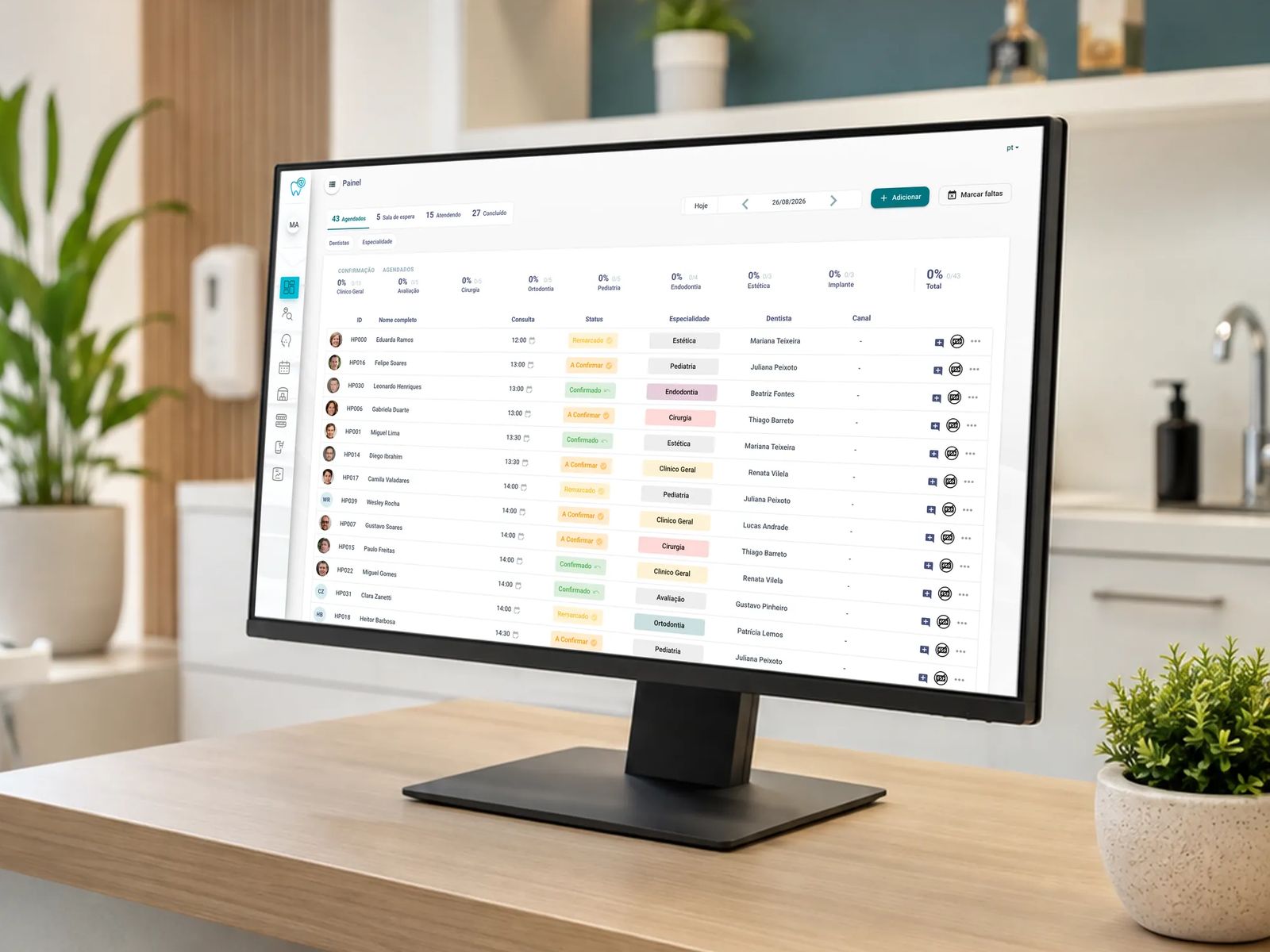
What Ecuro does
-
Scheduling and patient records
The clinic schedule and a complete patient record: medical history, procedures, dental chart, finances and the status of every appointment.
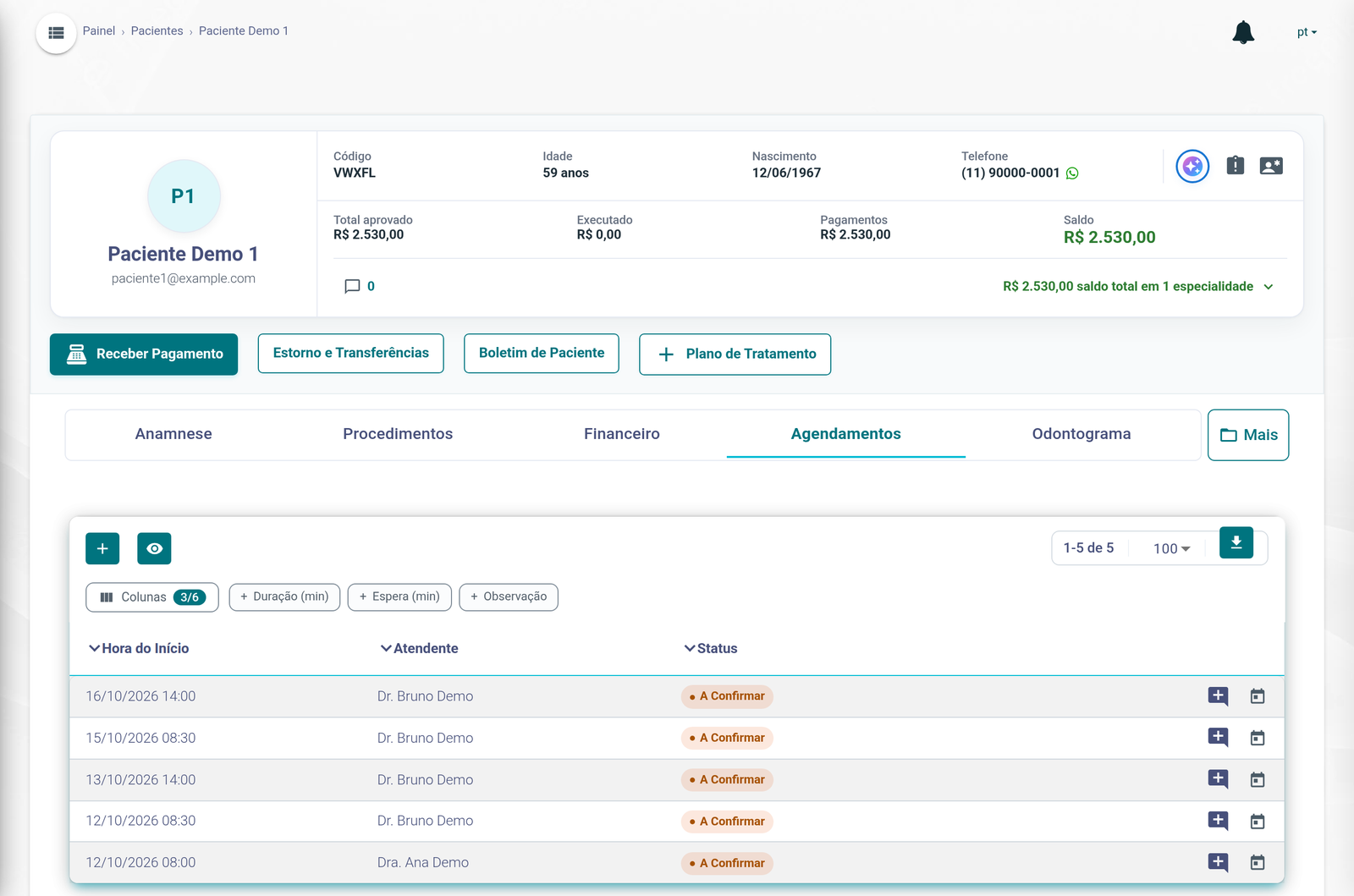
- The patient's WhatsApp number
- Medical history, procedures, finances and dental chart
- The status of each appointment
-
Treatment plans
Quotes by tooth, paid upfront, in installments or financed, approved by the patient.
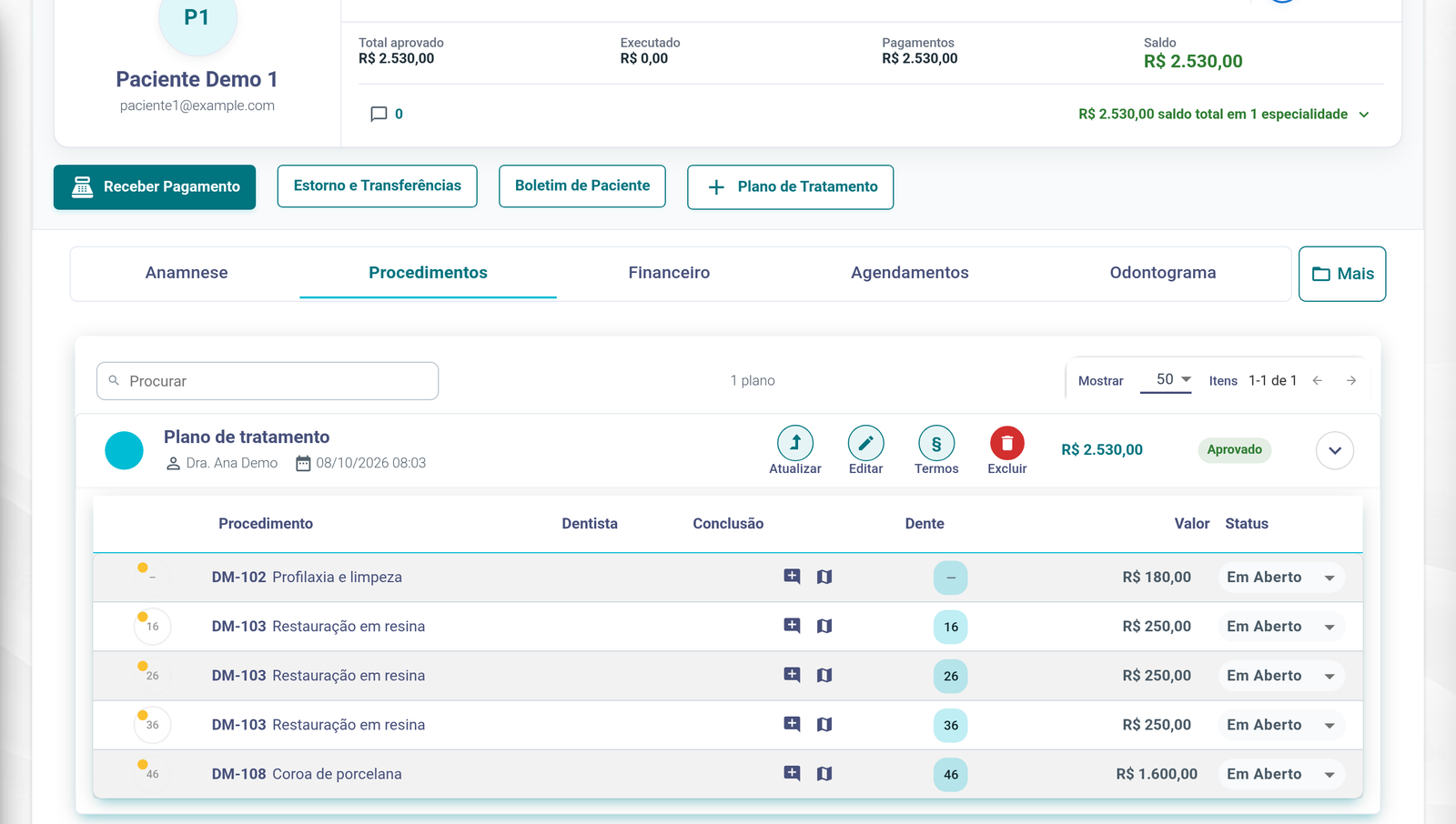
- Plan approved by the patient
- Terms for the patient to sign
- Procedures by tooth
-
Integrated payments
Cielo LIO on the front-desk card terminals, boleto and Pix, recurring card payments and patient financing, every payment checked at day close.
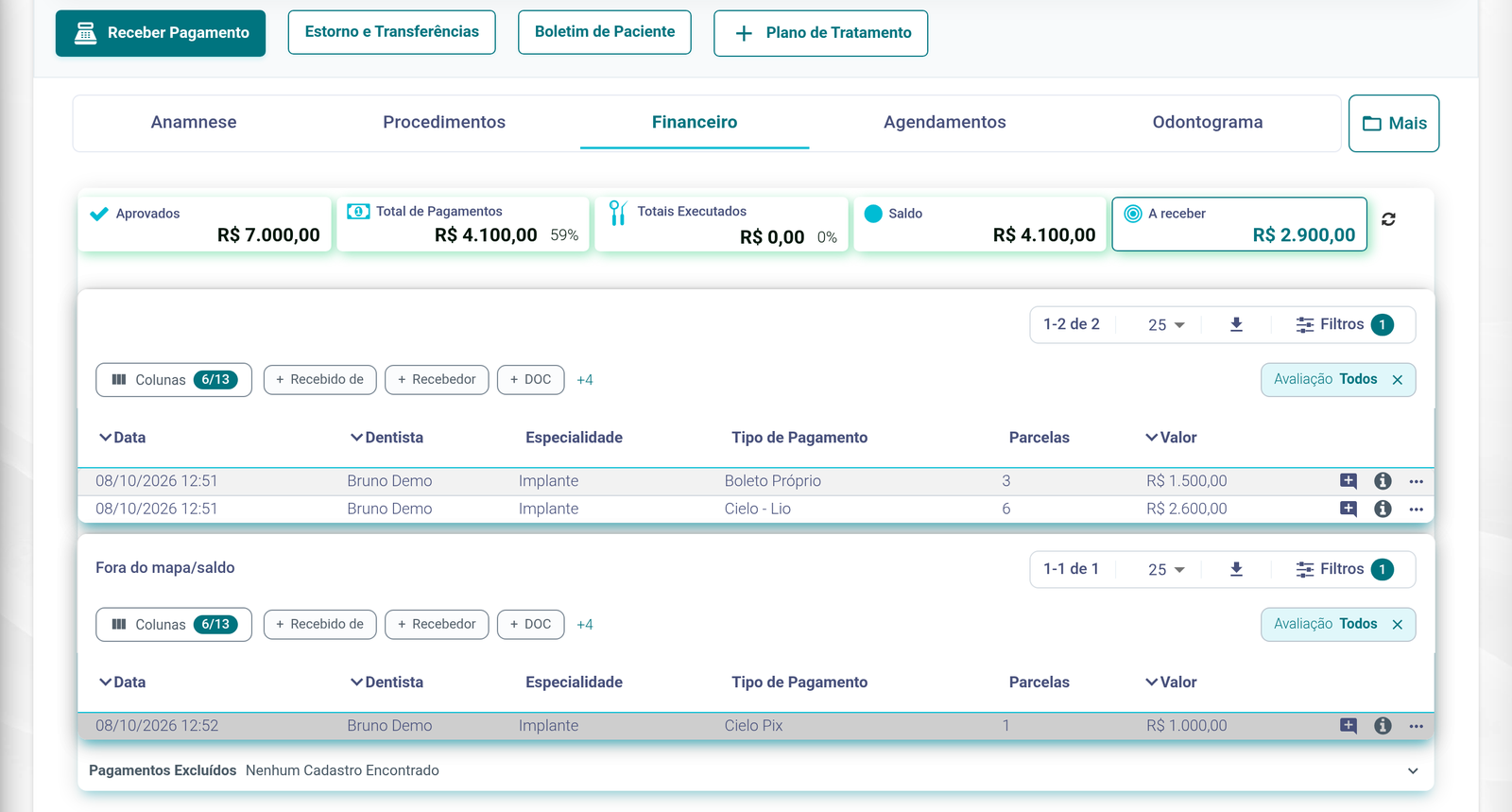
- How much of the plan is paid
- Out of the balance until received
- Cielo LIO, in 6 installments
-
Accounting and commissions
Every cash movement in and out posted in double entry, with dentists’ commissions calculated automatically.
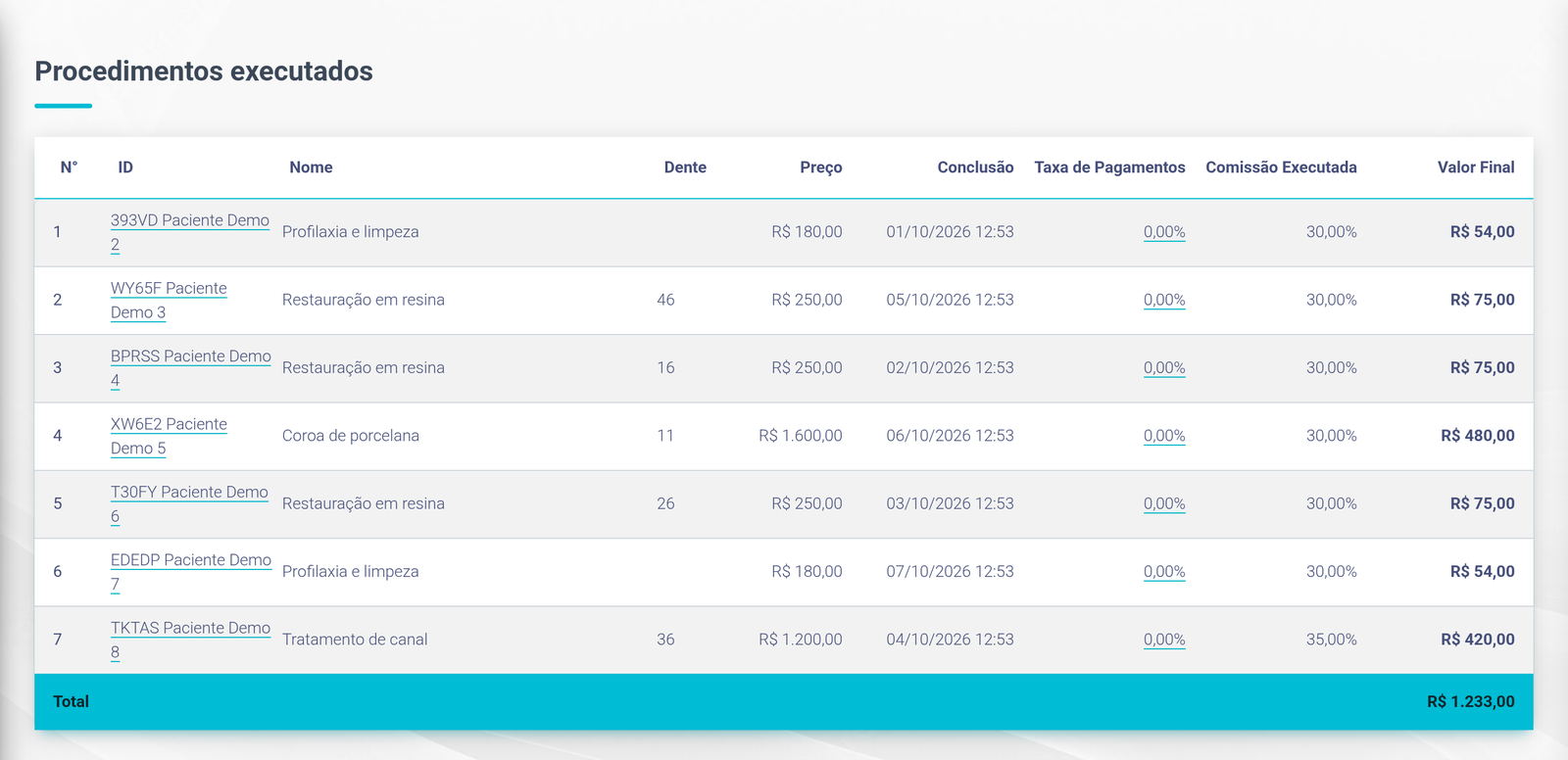
- Commission per procedure
- A different rate per specialty
- Commissions this month
-
Contracts and biometric signature
Contracts generated automatically when a plan is approved or the first payment is made, signed on screen or with the patient’s fingerprint.
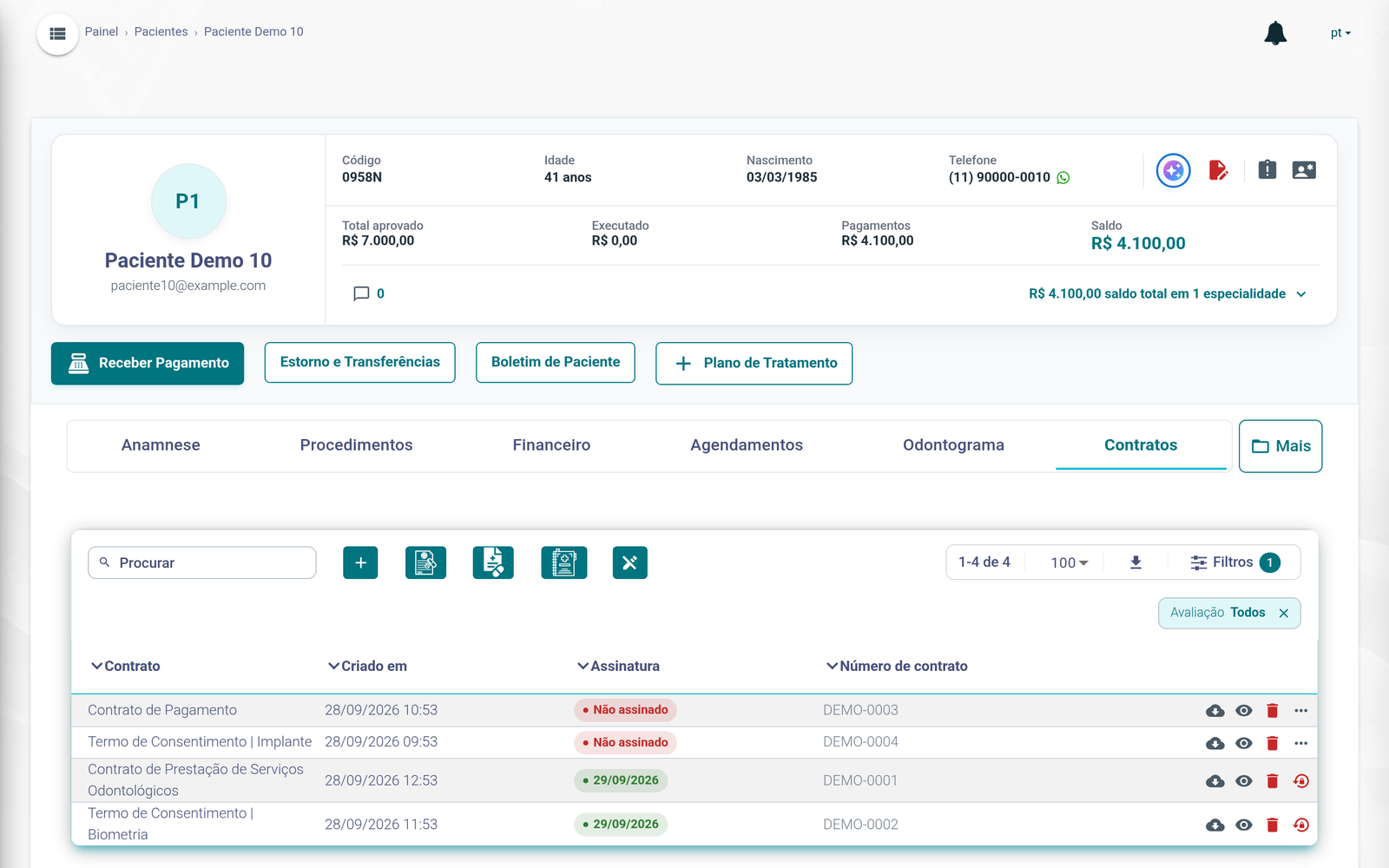
- Contracts in the patient's record
- Contract waiting for signature
- Date the contract was signed
-
TOTVS integration
Receipts, boletos, expenses, dentist and supplier payments and invoices sent to TOTVS.
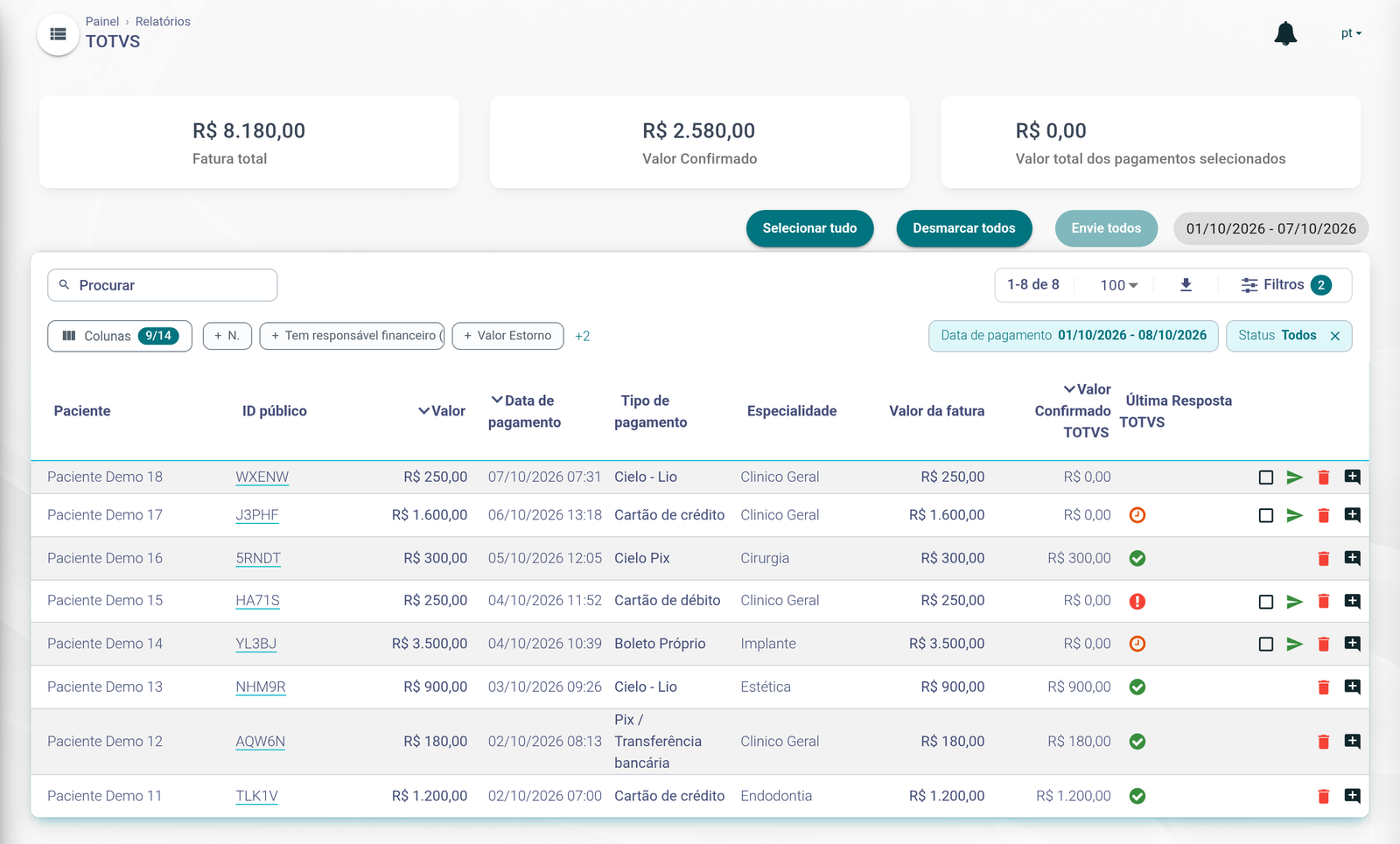
- Send the payment to TOTVS
- Refused by TOTVS
- Confirmed by TOTVS
-
Official WhatsApp
Appointment reminders and one-tap confirmation through Meta-approved templates, with replies in the clinic’s inbox.
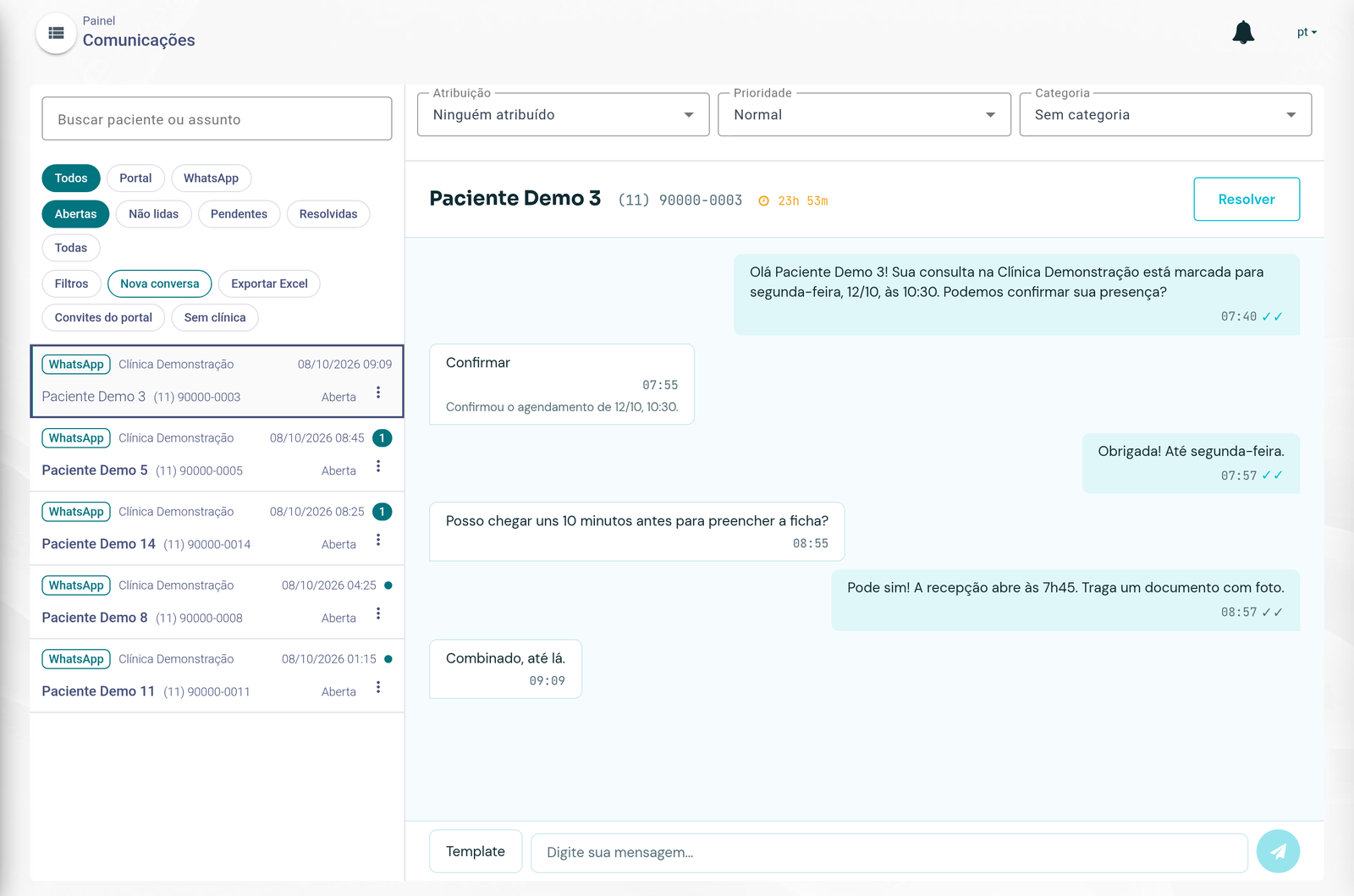
- Every channel in one inbox
- Reminder sent from an approved template
- A button reply confirms the appointment
-
Permissions and approval limits
Per-user permissions and approval limits for discounts, reversals and other exceptions.
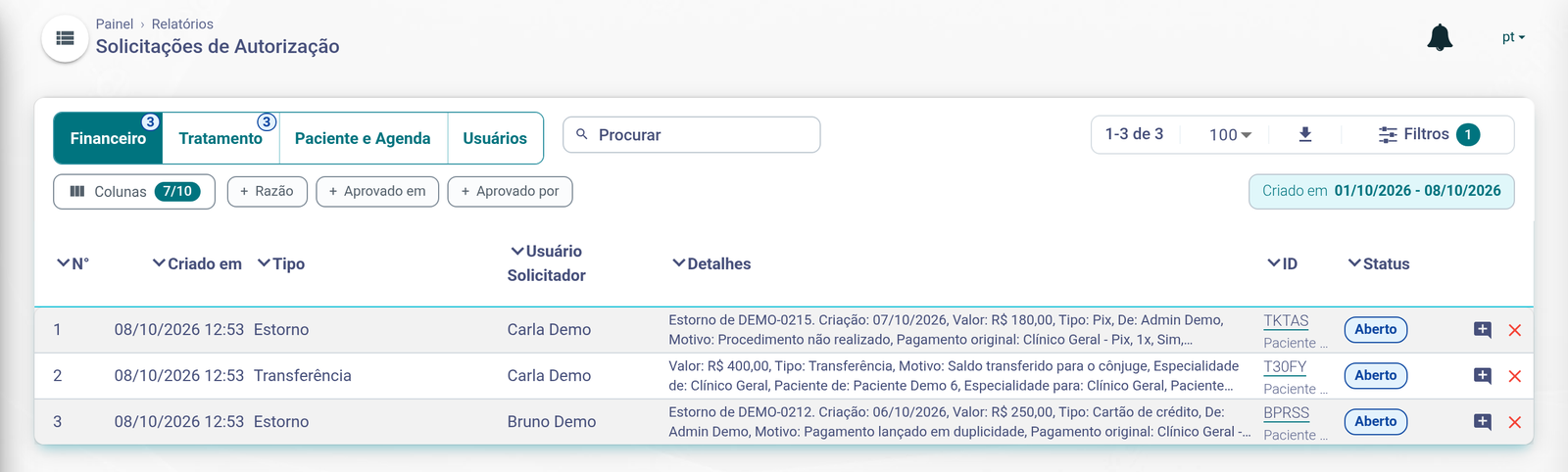
- Requests by area: finance, treatment, patient and schedule, users
- A reversal request waiting for approval
- Open until an approver decides
-
Stock control
Balances and levels per product, movements, counts and purchase orders.
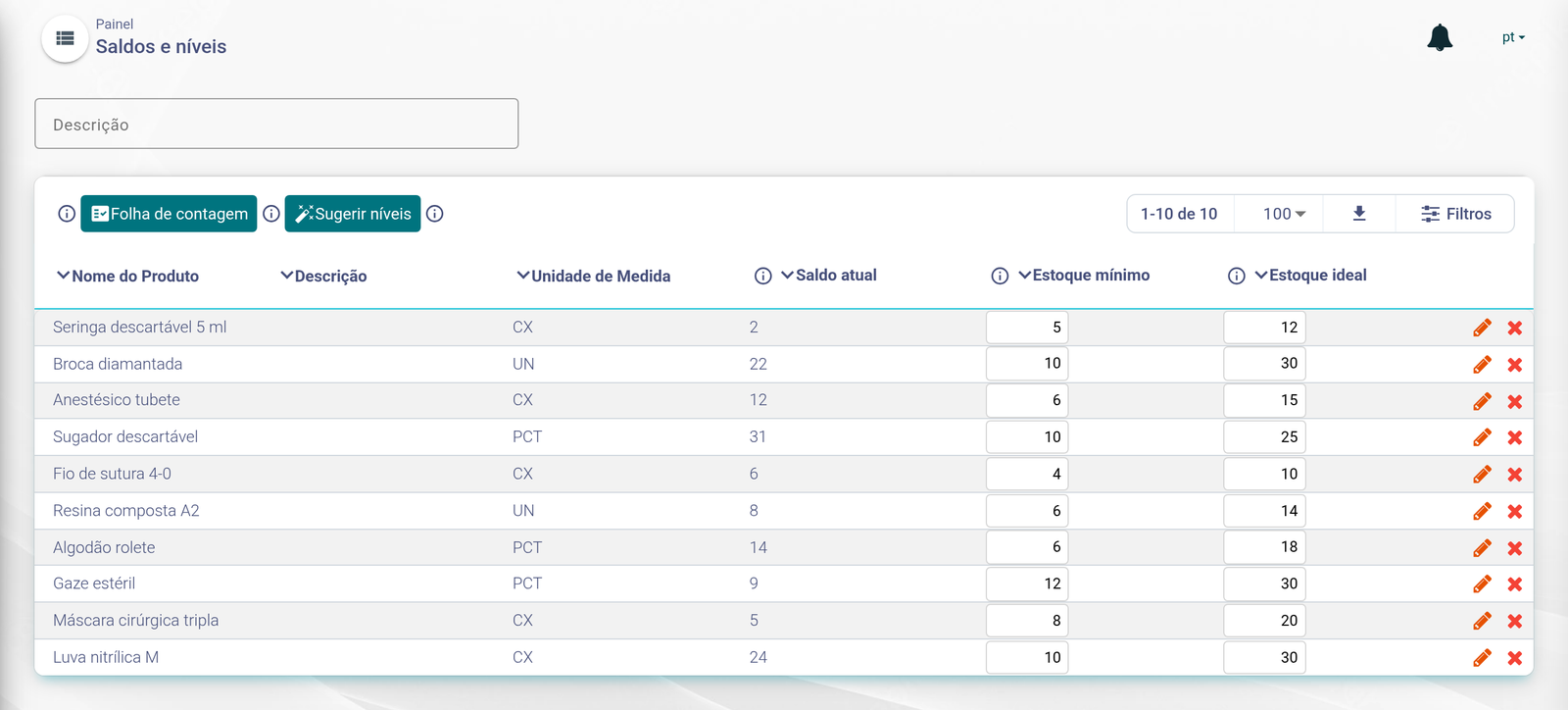
- Levels suggested by the system
- Balance below the minimum level
- Minimum and ideal per product
-
Reports
Each day’s payments by specialty and payment method, and reports for every clinic.
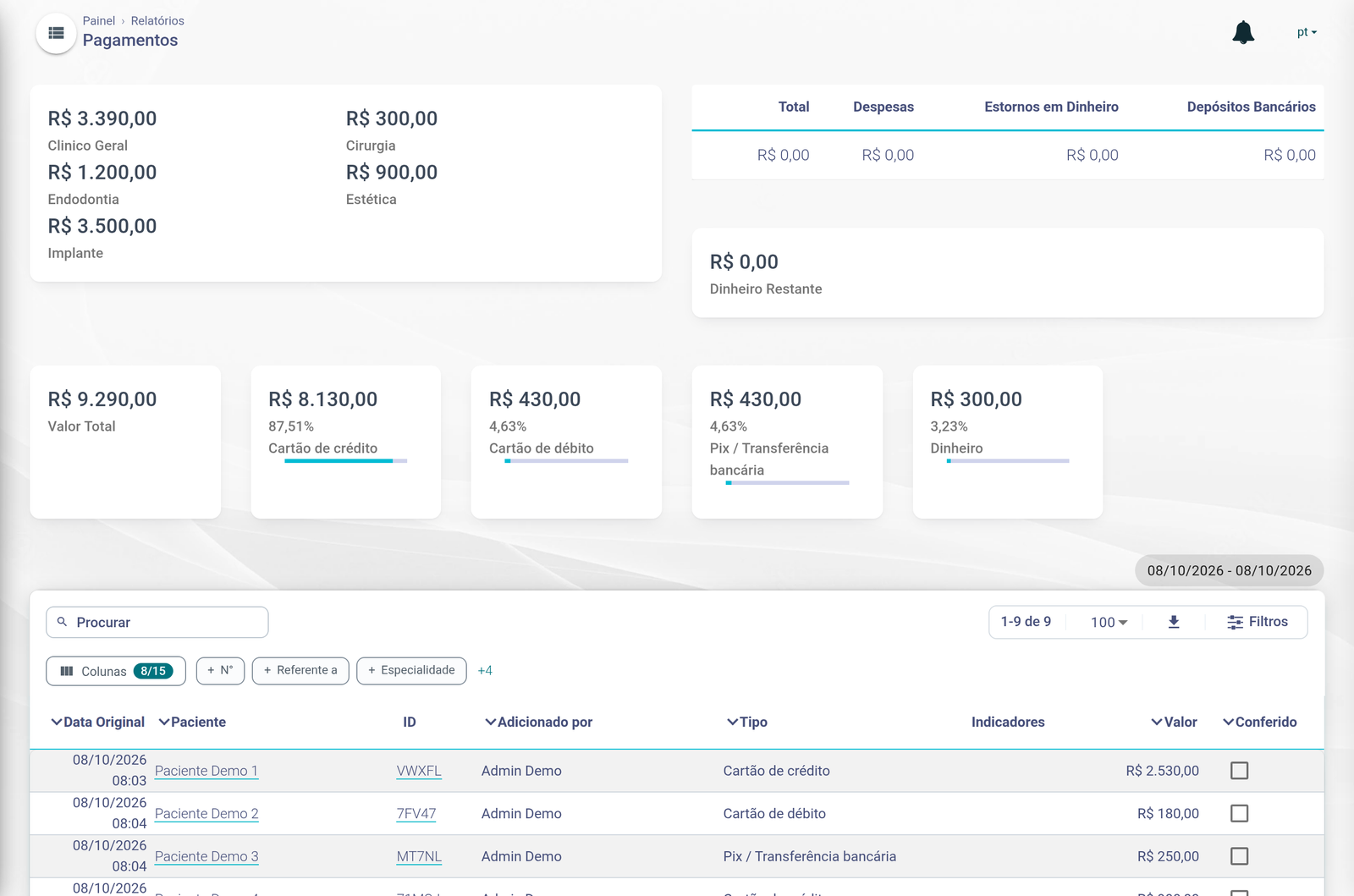
- Received by specialty
- By payment method
- Each payment checked at day close
Also in Ecuro
AI tools
Patient summary and questions about the history, integrated AI X-ray analysis and automatic document classification.
APIs and integrations
A partner API and webhooks, alongside the payment, financing, accounting and WhatsApp integrations.
Want a system like this for your operation?
Tell us what your operation needs to do. We reply by email.